

Want a free online Linux terminal to learn or practise commands, without setting up a VM or paying for a server?
maybe You just want something free that you can use to learn or test something, then throw away.
You don't want to set up a virtual machine, and renting a server costs money. You just want something free that you can use to learn or test something, then throw away.
So you search for it. You get page after page of results: some are full of ads, some hide the good part behind a paywall, and some lag so much that typing ls feels like a chore.
Don't worry. I went through them for you. Here are 9 free online Linux terminals that really work, don't charge you, and don't fall over. I've counted them down, so the last one is the best of the lot.
How I picked these
On 23 October 2026 I opened each one in Chrome on my laptop and used it extensively I tried Termux on my Android phone.
Every free limit you'll see below comes from the tool's own documentation, and I've linked it.
9. v86
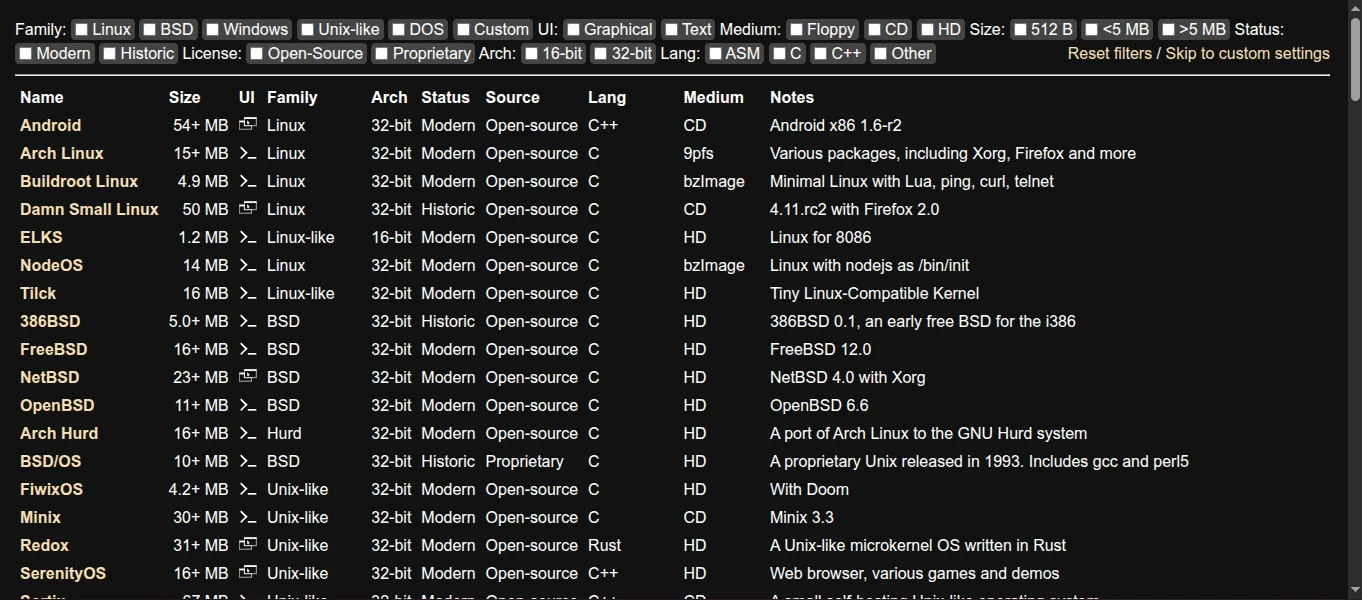
v86 is a free, open-source emulator that runs a whole x86 computer inside your browser.
The list of systems is huge: Arch Linux, Damn Small Linux, Buildroot, Android x86, FreeBSD, NetBSD and more.
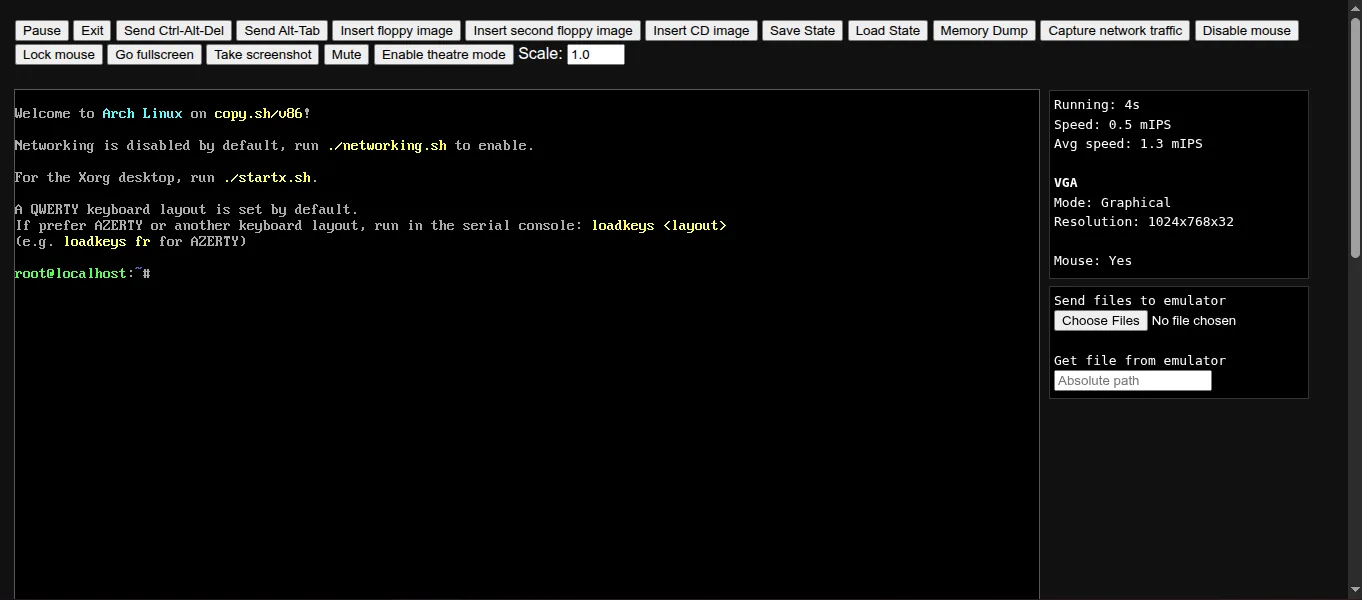
I booted Arch Linux and got a root prompt.
What to know
- Networking is off at first. The welcome message tells you to run
./networking.shto turn it on. - It's slower than the others because everything runs on your own computer.
- Save State and Load State buttons let you continue later.
Why it's at number 9
It's great fun for trying different systems, but it's too slow to be your daily practice terminal.
Link: copy.sh/v86 (source on GitHub)
8. JSLinux
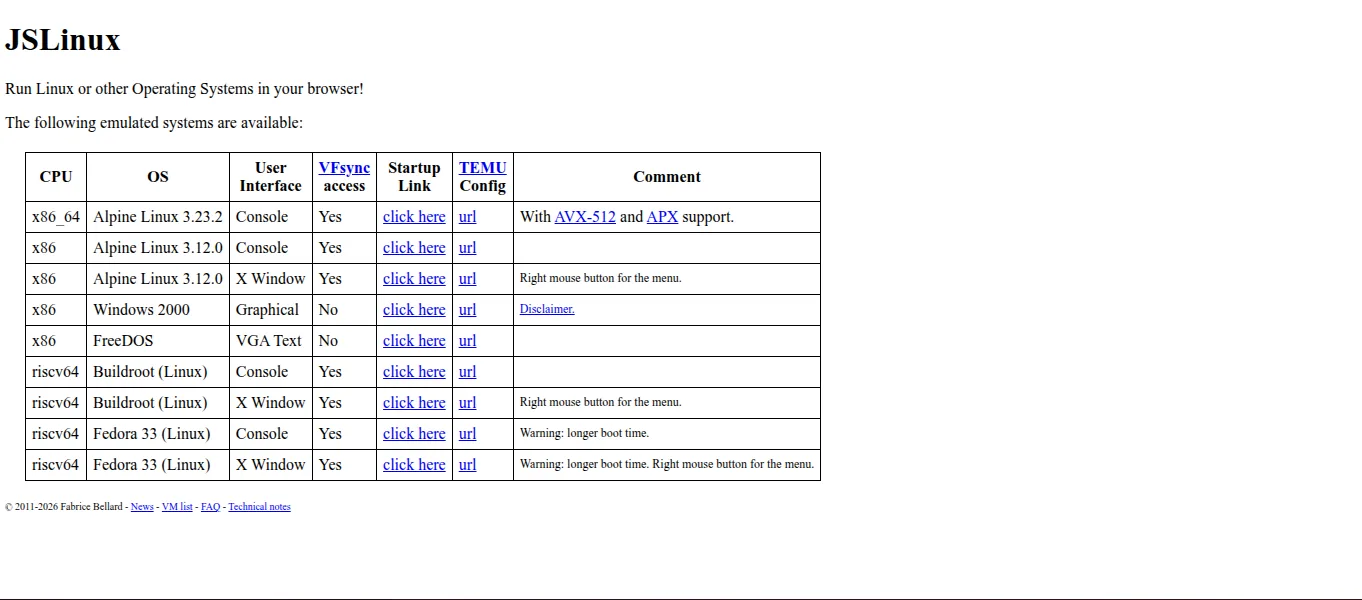
JSLinux is a free emulator by Fabrice Bellard that runs a complete Linux system inside your browser tab.
You pick a system from a table, like 64-bit Alpine Linux 3.23 or Fedora 33. There's even Windows 2000 and FreeDOS if you're curious.
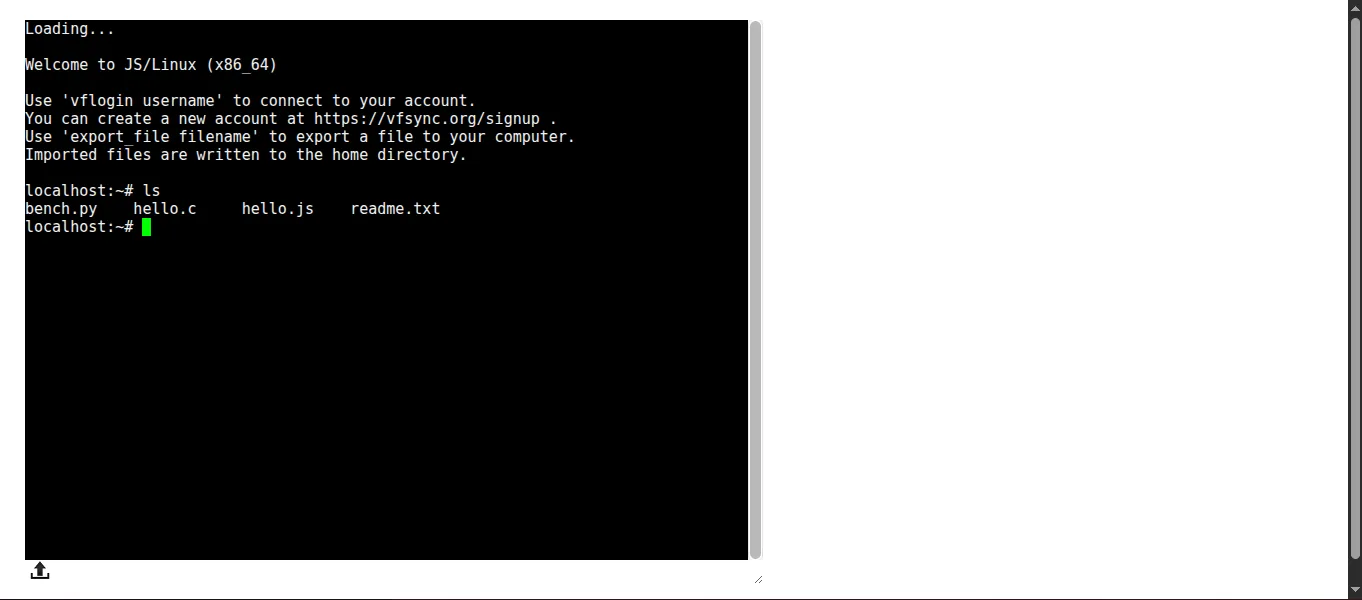
I picked Alpine Linux. It booted straight to a prompt with a few sample files waiting: hello.c, hello.js, bench.py and readme.txt.
What to know
- No sign-up needed.
- If you want to keep your files, you can make an account with the
vflogincommand.
Why it's at number 8
It's real Linux and it feels like magic the first time. For learning commands, though, the tools above it make life easier.
Link: bellard.org/jslinux
7. WebTerm
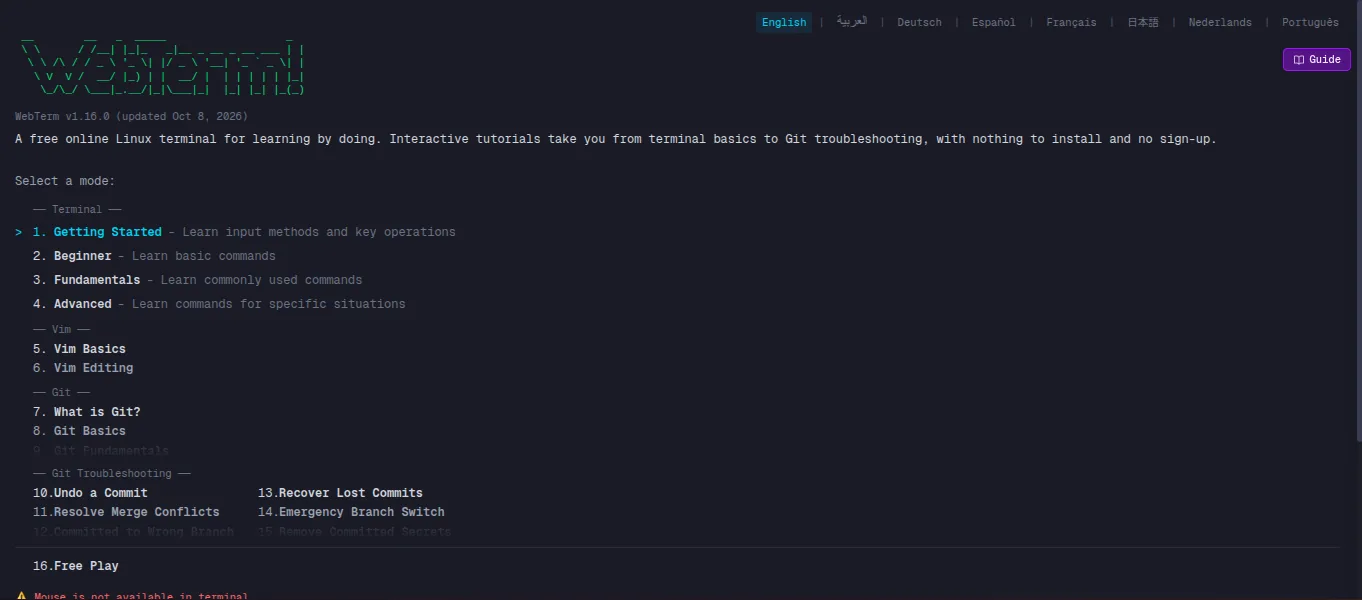
WebTerm is a free Linux terminal simulator that knows over 100 common commands.
It isn't a real machine, and for a beginner that's a good thing: you can't break anything.
What to know
- No sign-up, and it works in a phone browser.
- Reloading the page wipes everything clean.
- It has practice modes from Getting Started up to Advanced, plus Vim basics, Git basics and Git troubleshooting (undo a commit, fix a merge conflict).
Why it's at number 7
It's perfect for day one. Once you need real packages or real files, you'll outgrow it.
Link: webterm.app/en/free-play
6. Penguin Gym Linux
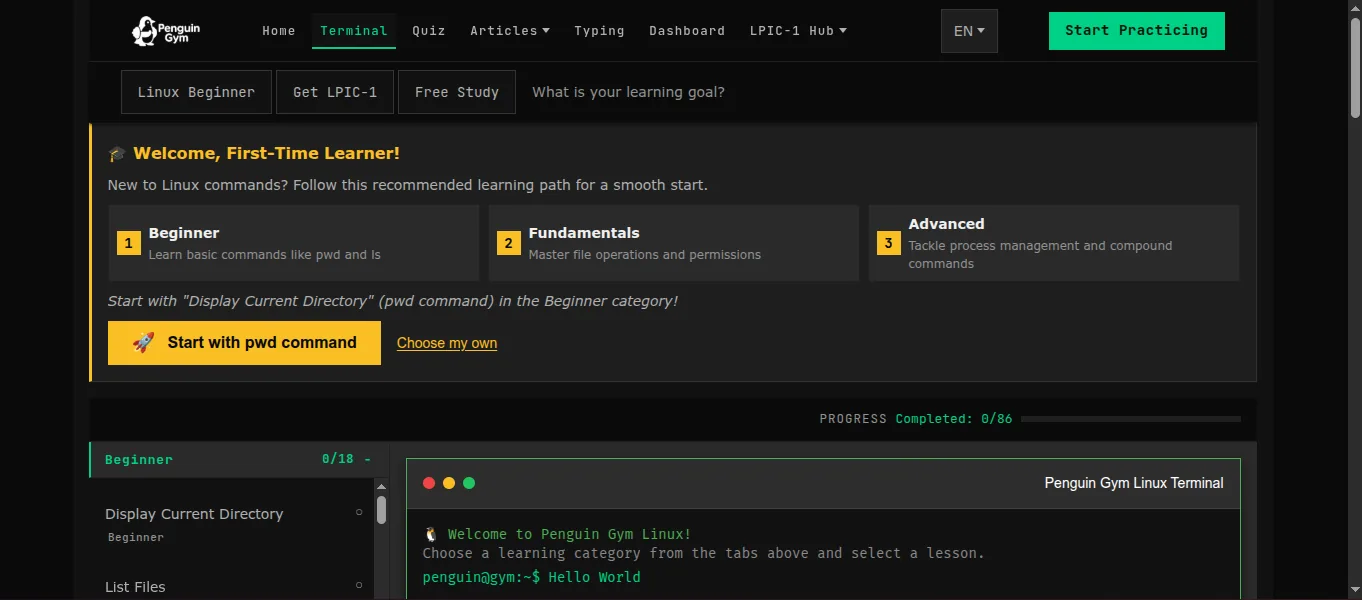
Penguin Gym Linux is a free practice terminal that teaches you step by step.
It gives you a path (Beginner, Fundamentals, Advanced) and starts you on easy commands like pwd.
What to know
- It tracks your progress and saves it in your browser.
- It works on phones and tablets.
- There's an LPIC-1 section if you're preparing for that exam.
Why it's at number 6
If you like learning like a course, with levels to clear, this one keeps you going.
Link: penguin-gym-linux.com
5. Coddy Terminal
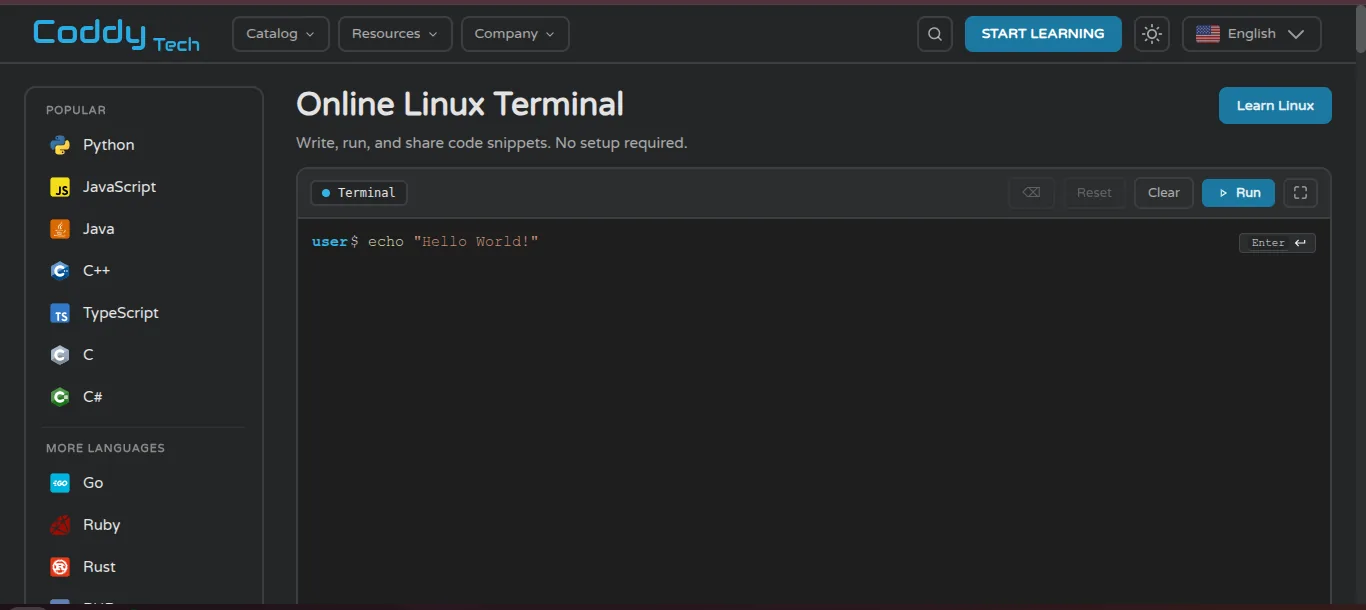
Coddy Terminal runs real bash in a sandbox, right in your browser, with no sign-up.
This is the "disposable" one. Every run starts fresh, so whatever you do is gone the next time.
What to know
- Type a command, press Enter, and you get real output.
- Shift+Enter adds a new line, so you can write a small loop and run it in one go.
- There are ready-made Git examples (first commit, branch and merge, undo a commit) you can load and watch run.
Why it's at number 5
For quickly testing one command or a flag, nothing is faster. The fresh start every time makes longer practice annoying, though.
Link: coddy.tech/playground/terminal
4. Webminal
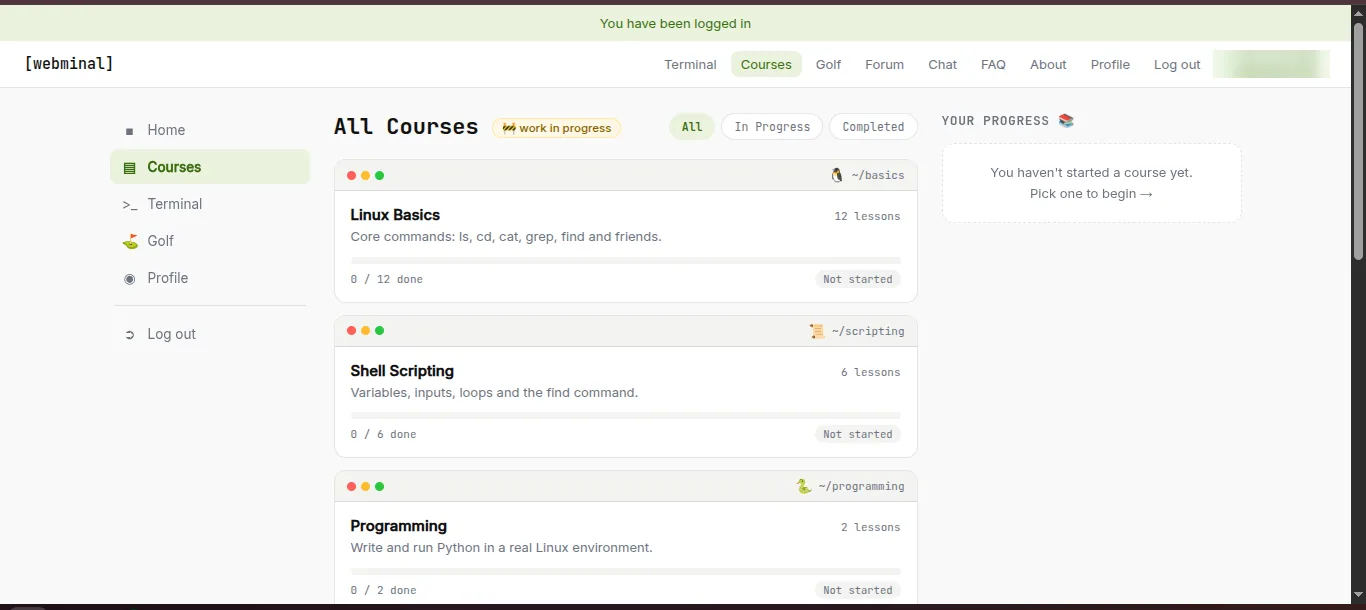
Webminal gives you a real bash shell on a Linux server for free, and it's been running since 2011.
You make an account, then log in to the terminal with the same username and password.
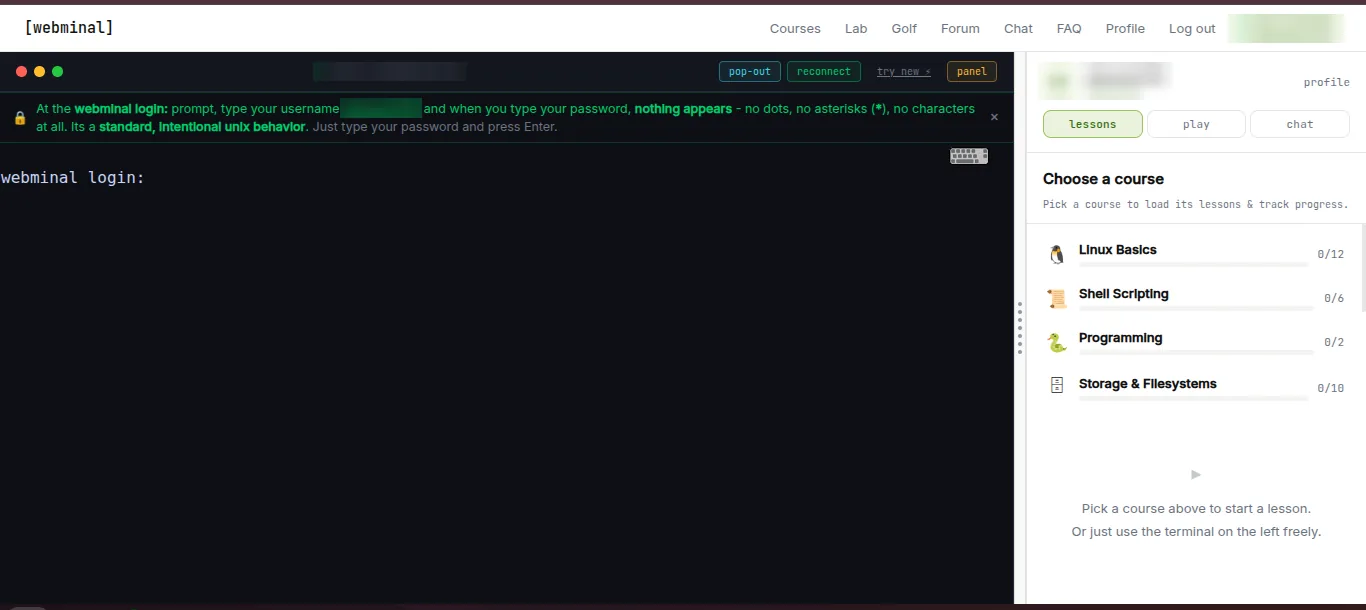
When you type your password at the login prompt, nothing shows on screen, not even dots. Don't panic: that's normal Linux behaviour. Type it and press Enter.
What to know
- Free courses sit next to the terminal: Linux Basics (12 lessons), Shell Scripting (6), Programming (2) and Storage and Filesystems (10).
- Your files stay in your account.
Why it's at number 4
A real shell plus lessons in the same window. That's hard to beat for a beginner who wants the real thing.
Link: webminal.org
3. Termux
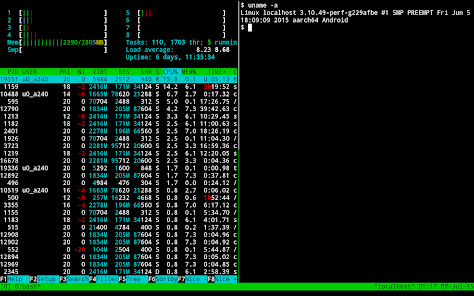
Termux is an Android app that puts a real Linux environment on your phone, without rooting it.
A small base system installs on its own, and you add tools like git, python or ssh with pkg install.
What to know
- It works on Android 7 and newer.
- Install it from F-Droid or GitHub. The Play Store version is still being worked on and is missing features, so the Termux team recommends F-Droid or GitHub.
- Get any Termux add-ons from the same place you got the app, or updates can break.
Why it's at number 3
It's real Linux that goes everywhere with you: on the bus, between classes, anywhere. It's only below the top two because typing on a phone keyboard gets tiring.
Link: termux.dev
2. GitHub Codespaces
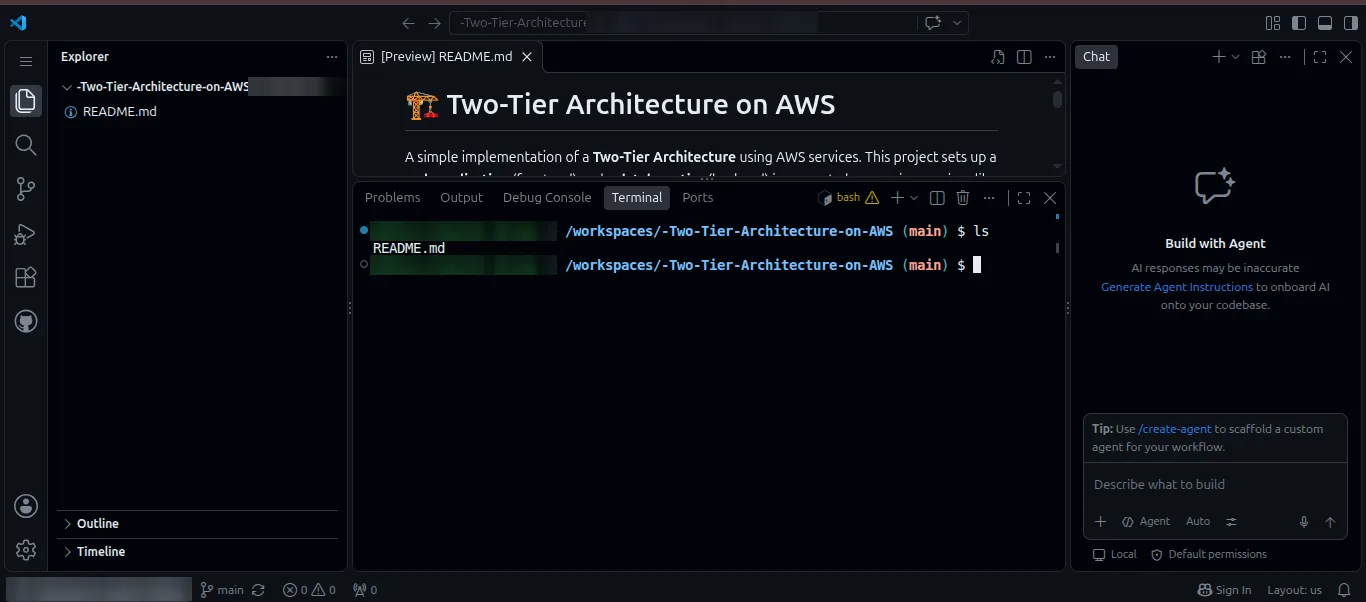
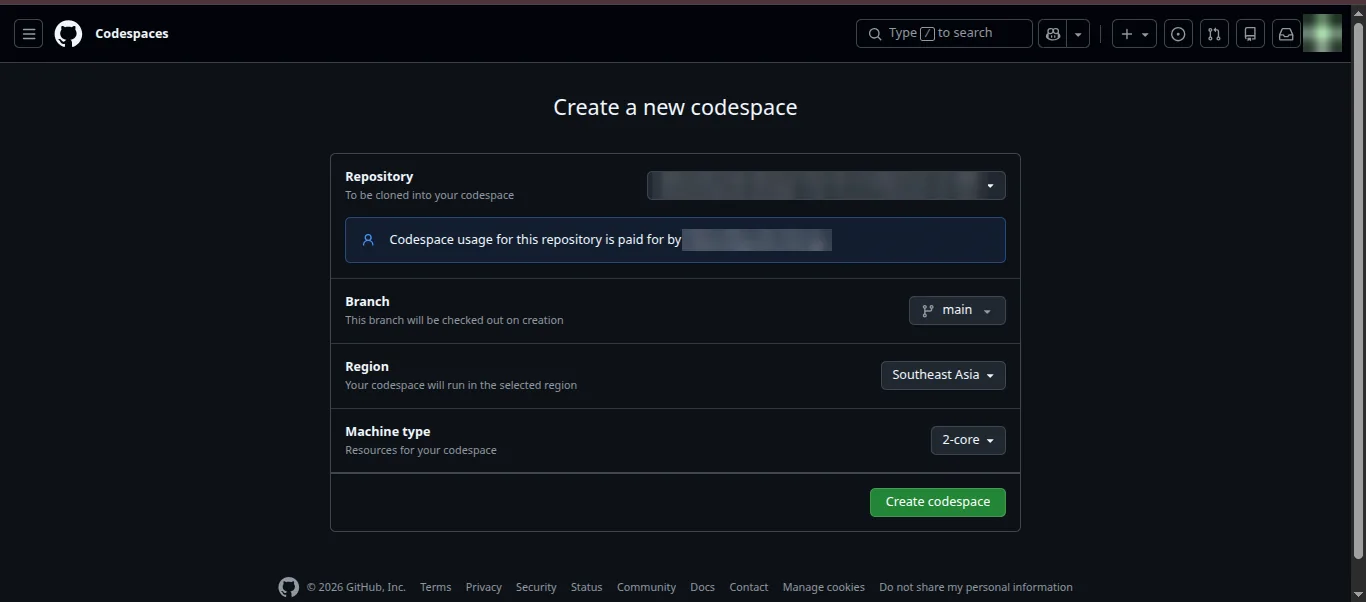
GitHub Codespaces is a cloud development machine with VS Code running in your browser.
You pick a repository or a blank template, choose a machine, and you get a terminal inside VS Code.
The first time I opened the terminal, VS Code asked if I trusted the authors of the files. For your own repository, click trust and carry on.
Free limits
From GitHub's billing docs, for a free personal account:
- 120 core-hours a month. The smallest machine has 2 cores, so that's about 60 hours.
- 15 GB-month of storage.
- If you haven't saved a payment method, it simply stops at the limit. No surprise bill.
Why it's at number 2
A real Linux machine plus a proper editor, for free. If you're working on code, this is the one.
Link: GitHub Codespaces
1. Google Cloud Shell
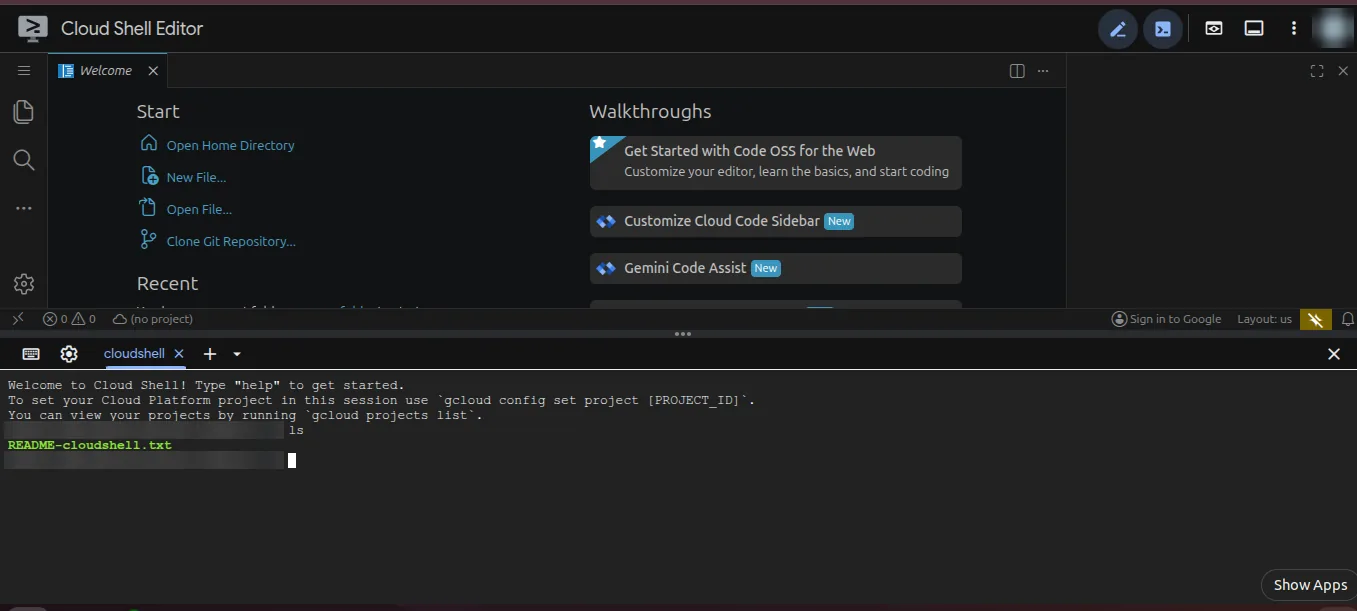
Google Cloud Shell is a free Linux virtual machine that opens in your browser, with an editor on top.
When I opened it, the terminal was ready at the bottom of the Cloud Shell Editor. Running ls showed a README-cloudshell.txt already sitting in my home folder.
Free limits
From Google's limits page:
- 50 hours a week.
- 5 GB of storage in your home folder that stays between sessions.
- Each session can run up to 12 hours.
- Anything you change outside your home folder is wiped when the machine restarts.
- If you don't open it for 120 days, Google deletes your home folder.
- You need a Google account, and you must be 18 or older.
Why it's number 1
It's a real Linux server, it's free for 50 hours every week, and your files are still there tomorrow. No VM to set up and nothing to pay. For learning and testing, that's everything you asked for.
Link: Cloud Shell documentation
FAQ
Is an online Linux terminal safe to use?
Yes. These run in a sandbox, a cloud machine or your browser, so nothing you type touches your own computer. Just don't paste passwords or private keys into a site you don't trust.
Can I install packages?
On the real Linux ones, yes: Termux (pkg install), Cloud Shell and Codespaces. Simulators like WebTerm only know the commands they were built with.
Which one is closest to real Linux?
Cloud Shell, Codespaces and Termux are real Linux environments. JSLinux and v86 also run real Linux, just emulated inside your browser.
Can I use these on my phone?
Termux is made for Android. WebTerm and Penguin Gym also work in a phone browser.
Do I have to pay anything?
No, all 9 are free. Cloud Shell and Codespaces have weekly or monthly limits, which are plenty for learning.
Key takeaways
| # | Tool | Best for | Free limit | Sign-up |
|---|---|---|---|---|
| 1 | Google Cloud Shell | A real server that keeps your files | 50 hours/week, 5 GB | Google account |
| 2 | GitHub Codespaces | Coding projects with VS Code | 120 core-hours/month, 15 GB | GitHub account |
| 3 | Termux | Linux on your Android phone | Free | No |
| 4 | Webminal | Real shell plus lessons | Free | Yes |
| 5 | Coddy | Quick, throwaway tests | Free | No |
| 6 | Penguin Gym Linux | Course-style practice | Free | No |
| 7 | WebTerm | Absolute beginners | Free | No |
| 8 | JSLinux | Real Linux in a tab | Free | No |
| 9 | v86 | Trying many systems | Free | No |
- Just starting out? Learn the basics in WebTerm or Penguin Gym.
- Ready for the real thing? Move to Google Cloud Shell.
- Always on your phone? Install Termux.
Over to you
Pick one, open it, and run your first command today, even if it's only ls.
Which one worked best for you? Tell me in the comments, and if you know a good one I missed, share it and I'll check it out.
Bonus: two that almost made the list
You'll probably run into these two while searching, so here's why they didn't make my top 9.
Terminal Temple
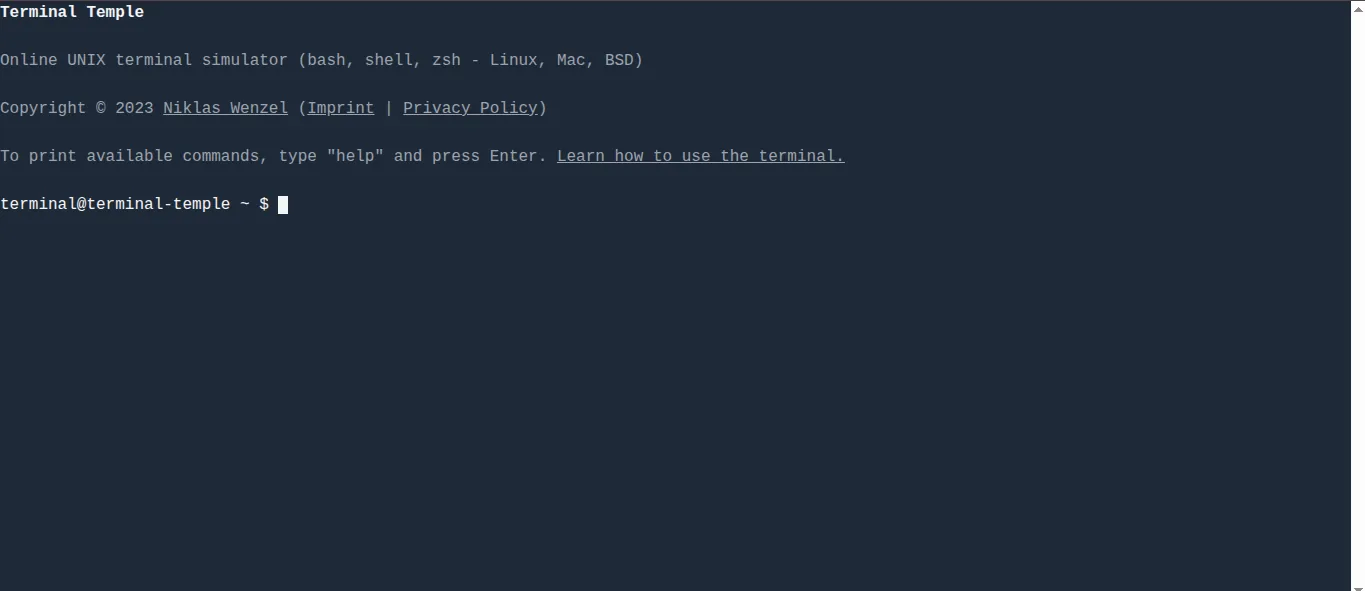
Terminal Temple is a small terminal simulator. Type help to see what it knows.
It's fine for a two-minute play, but it can't do much beyond that.
Link: terminaltemple.com
TutorialsPoint online terminal
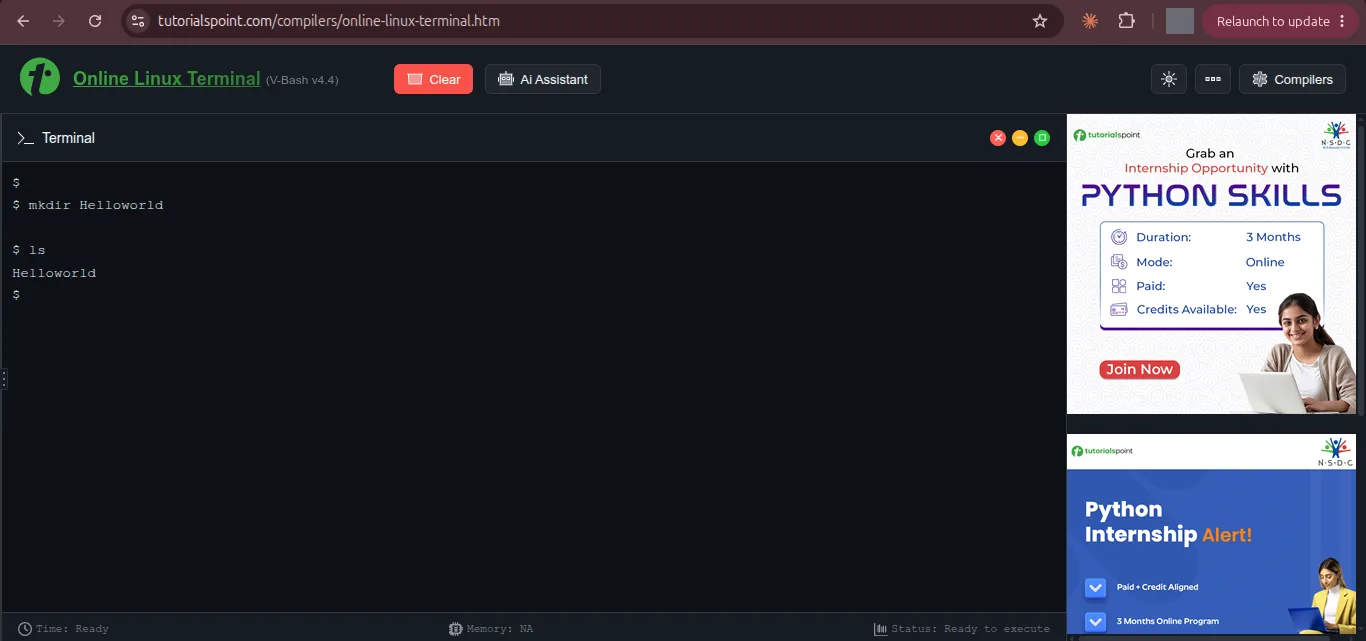
TutorialsPoint's online terminal is a bash terminal inside its online compiler. mkdir and ls worked fine for me.
The problem is the big ads sitting right next to the terminal. That's exactly the kind of page I wanted to save you from.
Responses (0)
Join the conversation
Sign in to share your thoughts and talk with the author.
Sign in to respondNo responses yet. Be the first to share your thoughts!