
How RC OCR APIs Simplify Vehicle Document Data Extraction
Vehicle Registration Certificates contain essential information used across automotive services, insurance operations, dealerships, and digital verification platforms. Processing these documents manually can involve repetitive data entry, document review, and transferring information between applications.
An RC OCR API offers a way to automate much of this data extraction process by converting document images into structured information that software applications can process.
Understanding RC Document OCR
Optical Character Recognition (OCR) is a technology that identifies text within images and converts it into machine-readable data.
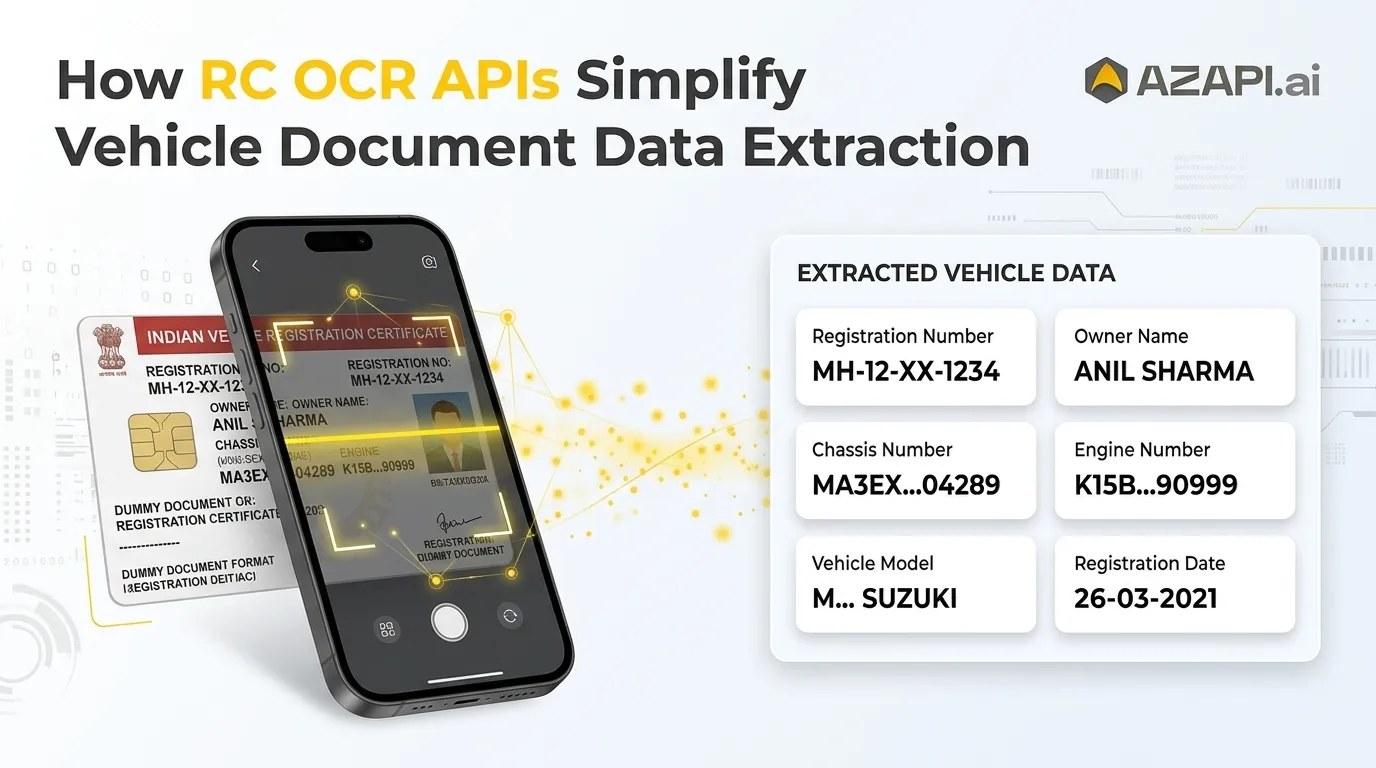
When applied to Registration Certificates, OCR can help identify information such as:
- Registration number
- Registered owner's name
- Vehicle make and model
- Chassis number
- Engine number
- Registration date
- Fuel type
- Vehicle class
The extracted information can then be returned in a structured format, depending on the API's supported fields and document quality.
How an RC OCR API Works
A typical document extraction workflow involves a few straightforward steps.
1. Document Submission
The application captures or uploads an image of the Registration Certificate and prepares it for processing.
2. Image Processing
The OCR service analyses the submitted image to identify text regions and document fields.
3. Information Extraction
Recognized text is mapped to relevant data fields, such as registration number, chassis number, and owner details.
4. Structured Response
The API returns the extracted information in a format that the application can process, store, or display.
5. Application Integration
Developers can use the response within their existing software, databases, customer portals, or verification workflows.
Where Developers Can Use This Technology
RC document extraction can support several application scenarios.
Automotive Platforms: Capture registration details when users submit vehicle documents through an online platform.
Insurance Applications: Reduce manual data entry when collecting registration information during policy-related workflows.
Dealership Software: Organize document information as part of vehicle inventory and customer record management.
Digital Verification Services: Use extracted fields as input for additional verification checks.
Fleet Management Applications: Process registration documents when adding vehicles to fleet records.
Important Considerations for OCR Integration
OCR performance depends on the quality and readability of the submitted document. Blurry images, glare, shadows, damaged documents, and unusual layouts can affect extraction results.
Developers should consider the following practices:
- Request clear and properly aligned document images.
- Validate important fields such as registration and chassis numbers.
- Handle missing or uncertain values in API responses.
- Include error handling for unsupported or unreadable documents.
- Protect uploaded documents and extracted personal information.
- Use separate verification procedures when authenticity or legal validity needs to be established.
OCR extracts information from a document. It does not independently establish whether the document is genuine, valid, or officially verified.
Exploring an RC OCR API
For developers building document-intensive applications, an RC OCR API can reduce repetitive data entry and make structured information available to existing software workflows.
AZAPI provides OCR API solutions for document data extraction, including Registration Certificate processing. Developers can explore the available capabilities and integration details here:
Explore the Vehicle RC OCR API
Conclusion
Automating Registration Certificate data extraction can make document processing more efficient for applications that handle automotive information. By combining OCR technology with structured API responses, developers can simplify data capture and connect document information with their existing digital workflows.
Responses (0)
Join the conversation
Sign in to share your thoughts and talk with the author.
Sign in to respondNo responses yet. Be the first to share your thoughts!